One shared operating picture for every team running your event, in real time.
Security, medical, production and venue operations in one live, provable record, from the first incident log to the final evidence pack. Try it below: it's the real workflow, running in your browser.
Live demo of the SYNQE operations console
Running Log
Event Control- 23:59:18 ⟳ Job DEMOFEST26-SEC-0003 open → in_progress
- 23:57:54MIRA MEDICNormal→ MED-0002Intox at Stage B: male, 18. Medics on scene.
- 23:54:48ALEX ADMINUrgent→ SEC-0003Crowd surge at front-of-stage barrier, requesting security backup.
- 23:52:36SAM CONTROLLowLitter building up near Gate 2 bins.
- 23:50:06FRED FIELDHighWet spill at Gate 1. Cleaners dispatched.
Job Board
3 activeOperatives
Runsheet
Thu, 1 Oct- Gates open
- Headline set change
- Curfew — sound off
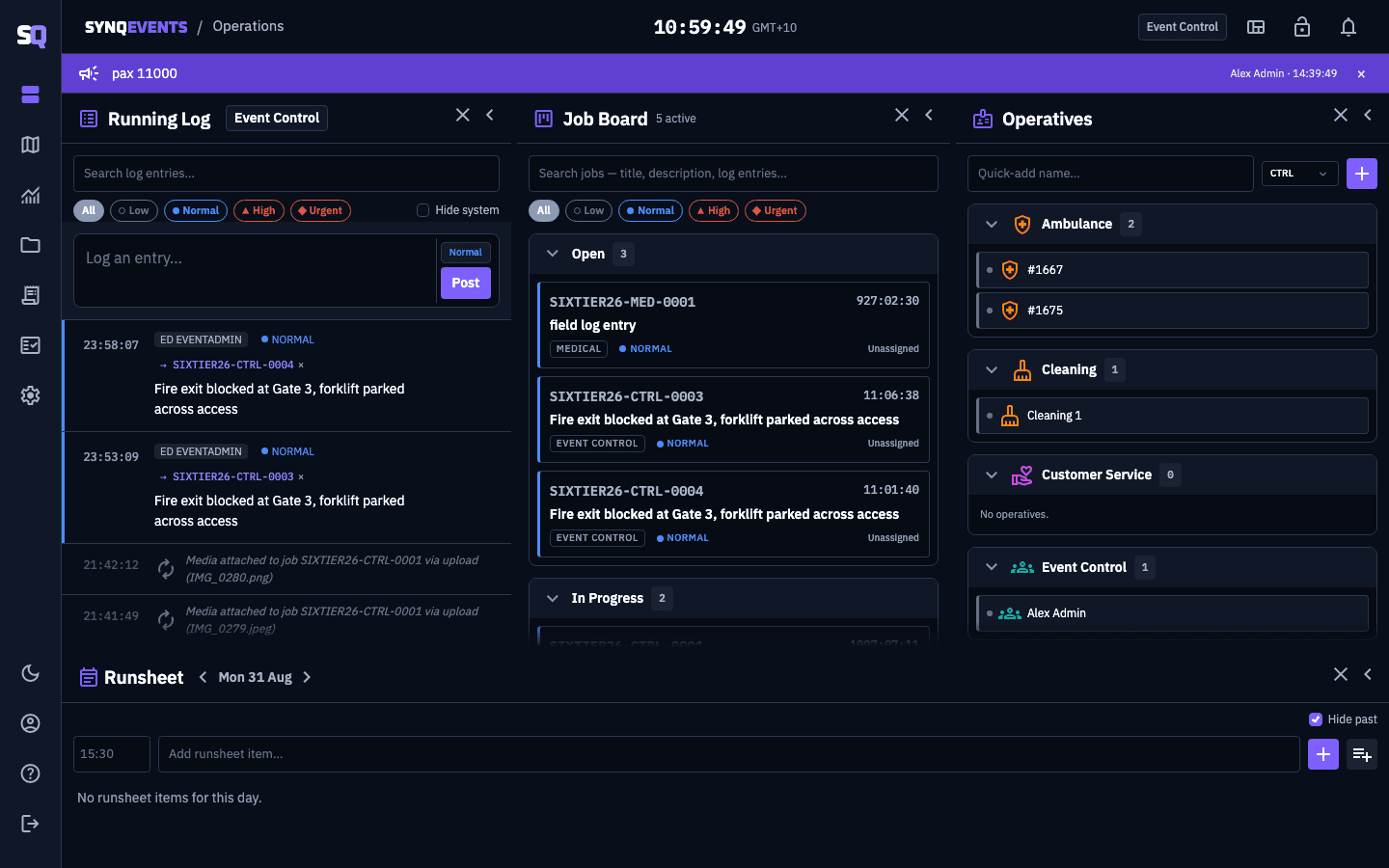
The control room view: running log and dispatch board, updating live on every connected screen.
- Real-time
- Every board, map and job updates live on every connected screen. No refresh.
- No app needed in the field
- Crews upload photos through a single-use magic link, no login. WhatsApp delivery supported.
- Tamper-evident
- Hash-chained, append-only logs that can be shown to be un-altered at incident review.
From first report to resolved job
Staff log what's happening. One click turns any entry into a dispatched job, tracked on a live board until it's closed. Nothing gets typed twice.
- 1 · Log the report
- 2 · Promote it to a job
- 3 · Dispatch and track to closed
Built for the field, not the fixture
Tools built for stadiums assume a floor plan is already on file. Festivals, temporary sites and touring shows rarely have one, so SYNQE lets you bring your own.
- Your floor plans on the real map
- Upload a site plan as an image or PDF and pin its four corners to the map. It warps into place, level by level, with a floor switcher.
- Built for sites without a plan on file
- Festivals, pop-ups and touring shows: drop pins by click, search an address, or use what3words when it's enabled for your organisation.
- Every active job, plotted live
- Colour-coded by priority, with in-progress jobs ringed. Click a marker to open the job.
- Review Mode after the event
- A risk-density heatmap on a scrubbable timeline, filtered by time, department, incident type or priority.
Every incident, provable afterward
Incident logs end up in front of insurers, regulators and review panels. SYNQE is engineered so the record holds up when they read it.
- Append-only and hash-chained
- Each audit entry carries a fingerprint of the one before it. Alter one and every later fingerprint stops matching.
- Corrections sit on top, never over
- Amendments, merges and strikes are new entries. What someone logged at 22:47 stays readable.
- One-click evidence pack
- JSON, CSV and a formatted HTML record of the incident, with the chain intact, ready for an insurer or a review panel.
The price is on the website
No quote request and no discovery call. You pay only for people who log in, and view-only stakeholders are free.
See SYNQE running at your next event
A 30-minute walkthrough on a demo event set up with your departments. Bring your security, medical and production leads.